
Inspect Pipeline Execution
After a pipeline starts, Credimi tracks the execution and exposes its progress through a detailed run page.
Execution timeline
Section titled “Execution timeline”Open a run to inspect the execution timeline.
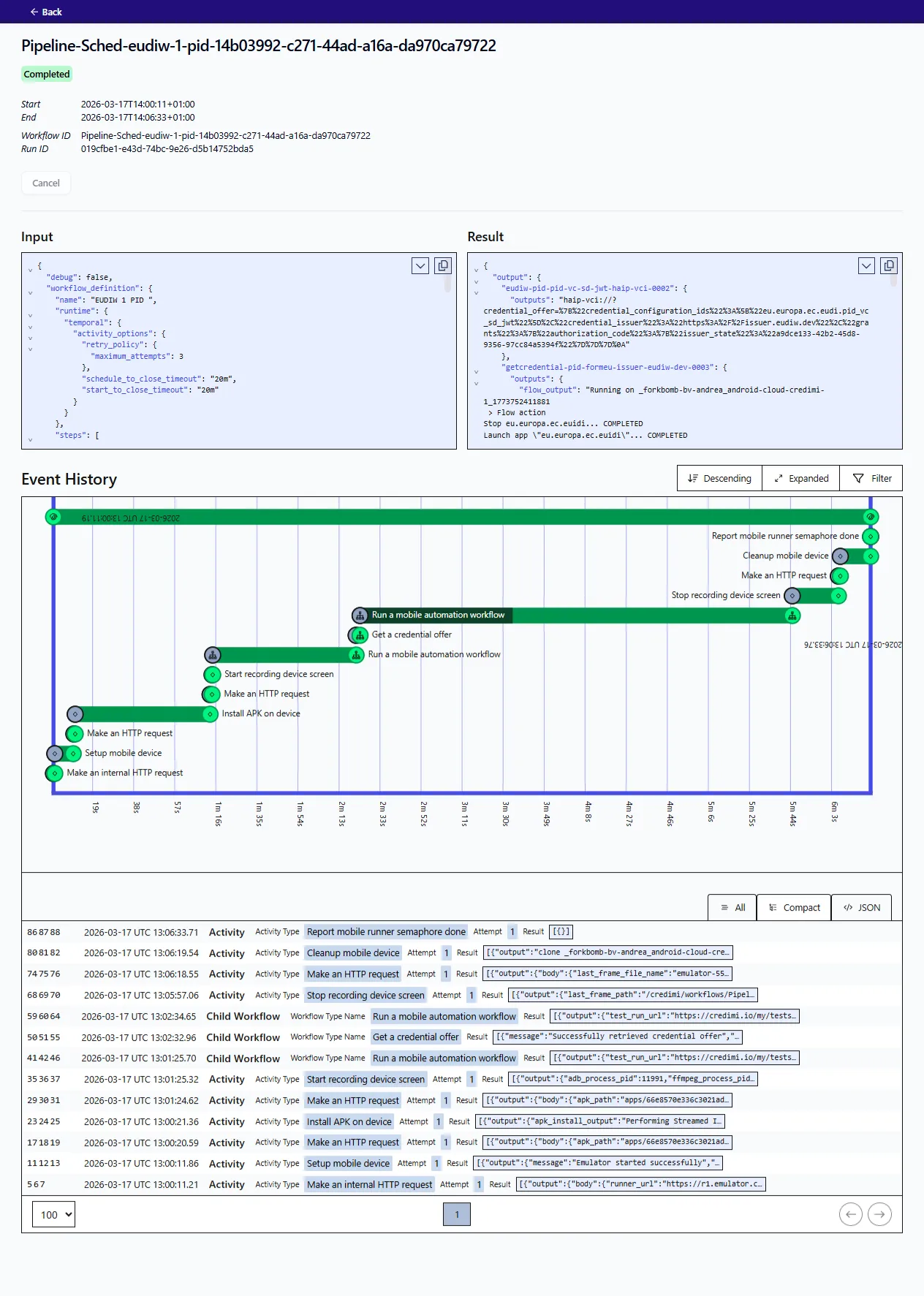
This lets you inspect:
- StepCI calls
- Maestro actions
- device lifecycle steps
- result ordering over time
Outputs and artifacts
Section titled “Outputs and artifacts”After execution, users can review the captured outputs and artifacts, such as logs, screenshots and videos.
Why this matters
Section titled “Why this matters”This is the point where Credimi moves from simple automation to reproducible end-to-end testing:
- the flow is composed graphically
- each step is traceable
- the resulting evidence can be inspected later
Placeholder: later add a short section on scheduled pipelines and on how pipeline runs relate to workflow history.