
Run Conformance Checks
Credimi lets logged-in users to also run conformance checks manually against supported profiles and suites.
You can access the Manual Conformance Checks from:
- Developer dashboard > (Tools) Manual Conformance Checks (all the checks)
- The checks that do not require a setup (e.g. WE BUILD), can be accessed directly in the Hub
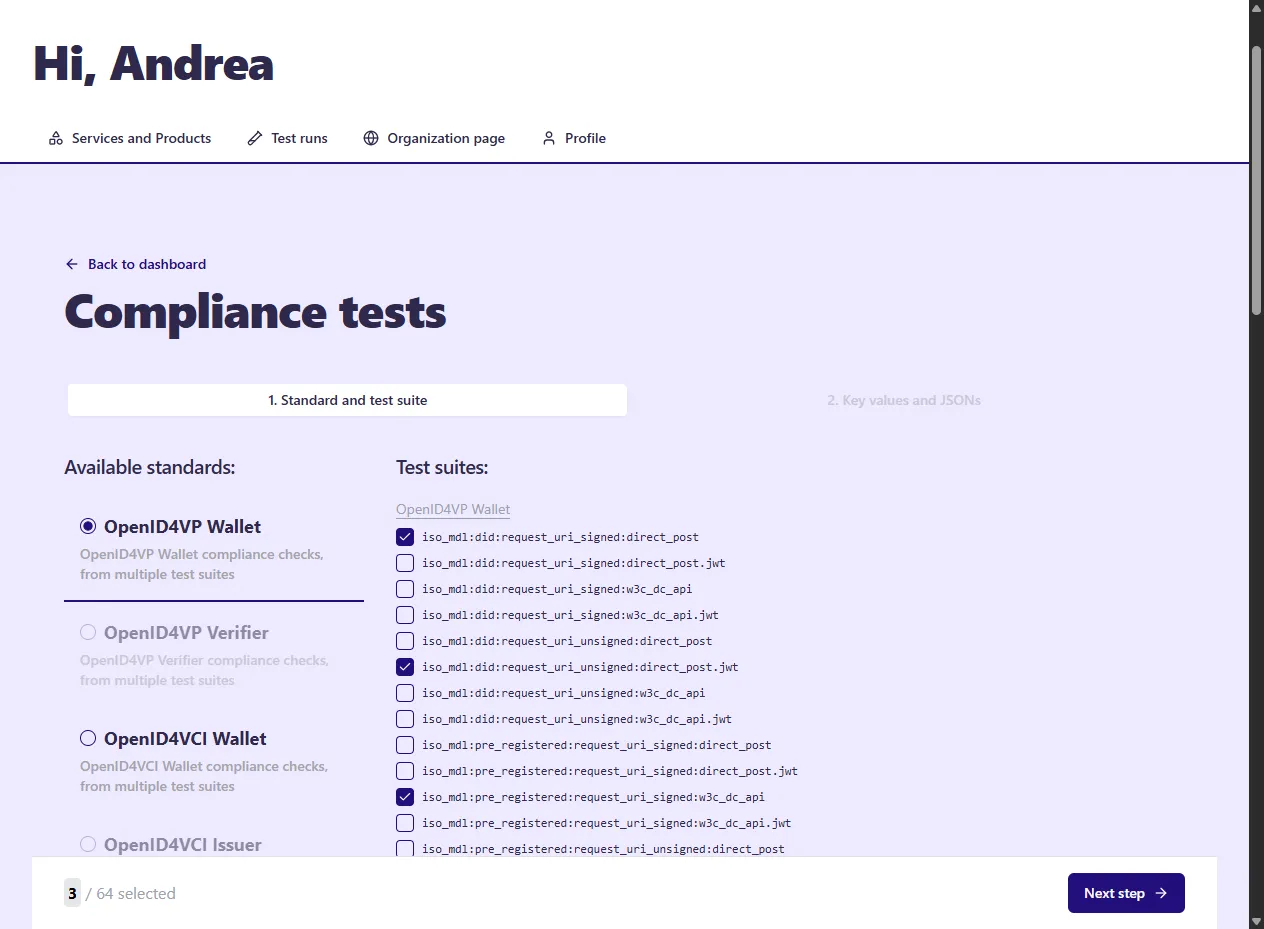
Start a new check
Section titled “Start a new check”Use the web GUI to select one or more tests and provide the required inputs.
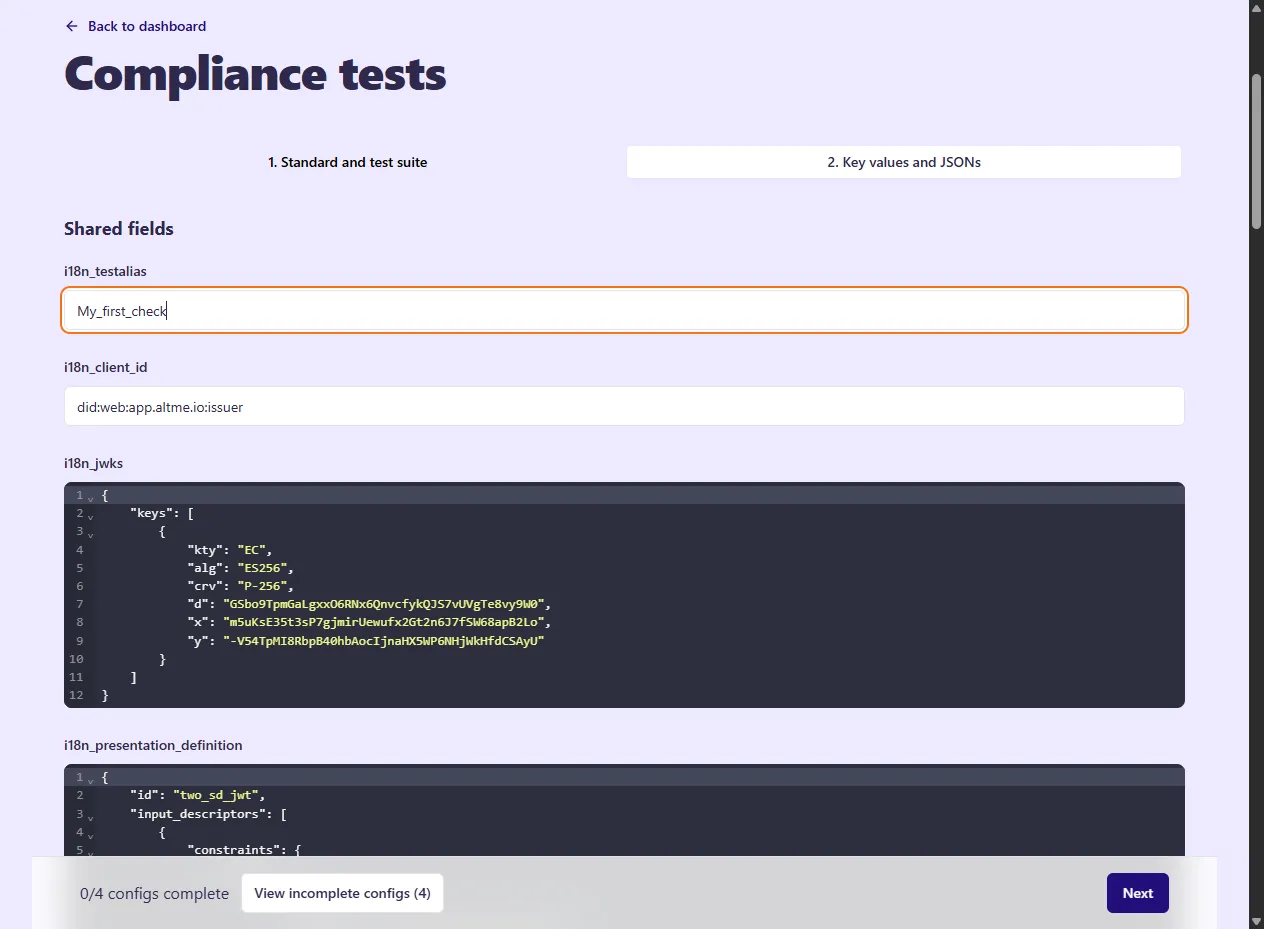
After submission, Credimi creates one or more runs and tracks them in your account.
Inspect the result
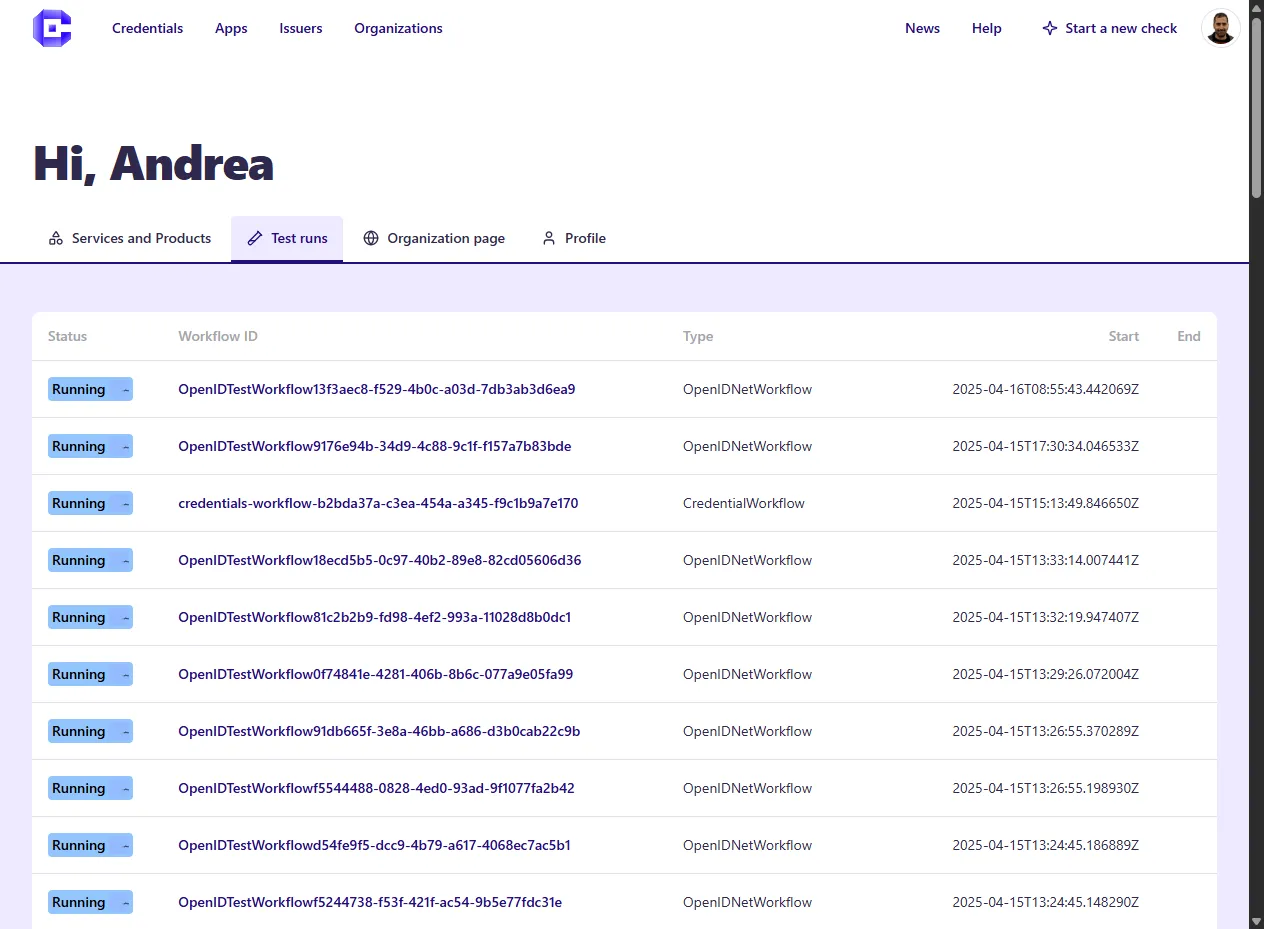
Section titled “Inspect the result”You can review the status of current and past runs from the dashboard.
Open a single run to inspect its details and outputs.
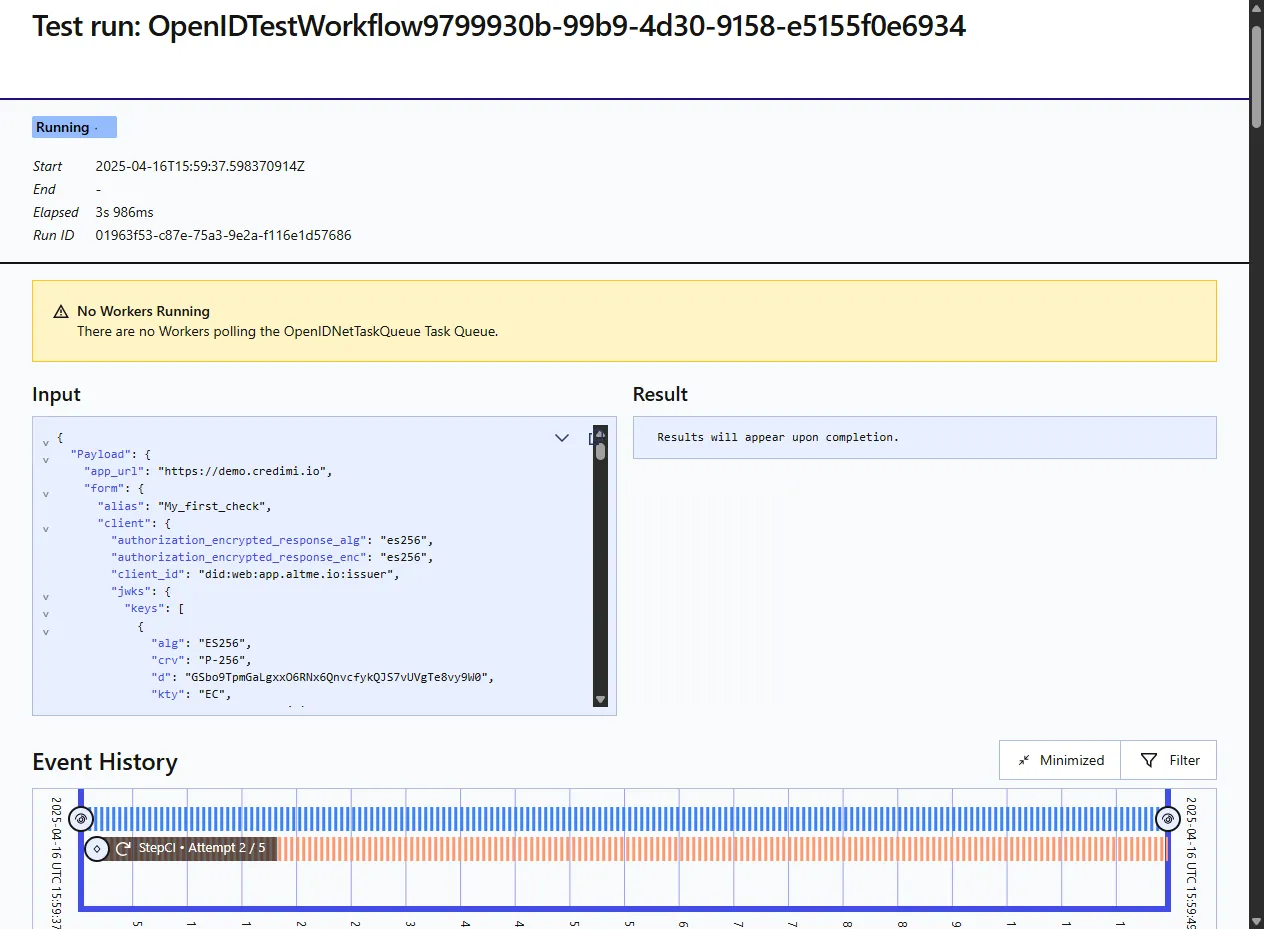
- some flows complete entirely server-side
- some flows require manual interaction through a test page
- pipeline automation can later build on the same underlying assets
Placeholder: later split this page by suite family if the number of suites grows substantially.