
Integrate Issuers and Verifiers with StepCI
StepCI is the integration layer used by Credimi to interact with external Issuers and Verifiers.
In Credimi, StepCI is not used for generic API testing, but as a runtime orchestration layer that:
- performs one or more REST calls to Issuer or Verifier endpoints
- extracts relevant data from responses (JSON, HTML, images, etc.)
- applies transformations (e.g. regex, parsing, external helpers)
- produces a deeplink representing a specific issuance or verification flow
The deeplink is the key output used across the platform.
Role in the Hub
Section titled “Role in the Hub”In the Hub, StepCI is executed on demand to:
- trigger a specific use case on an Issuer or Verifier
- construct the corresponding deeplink
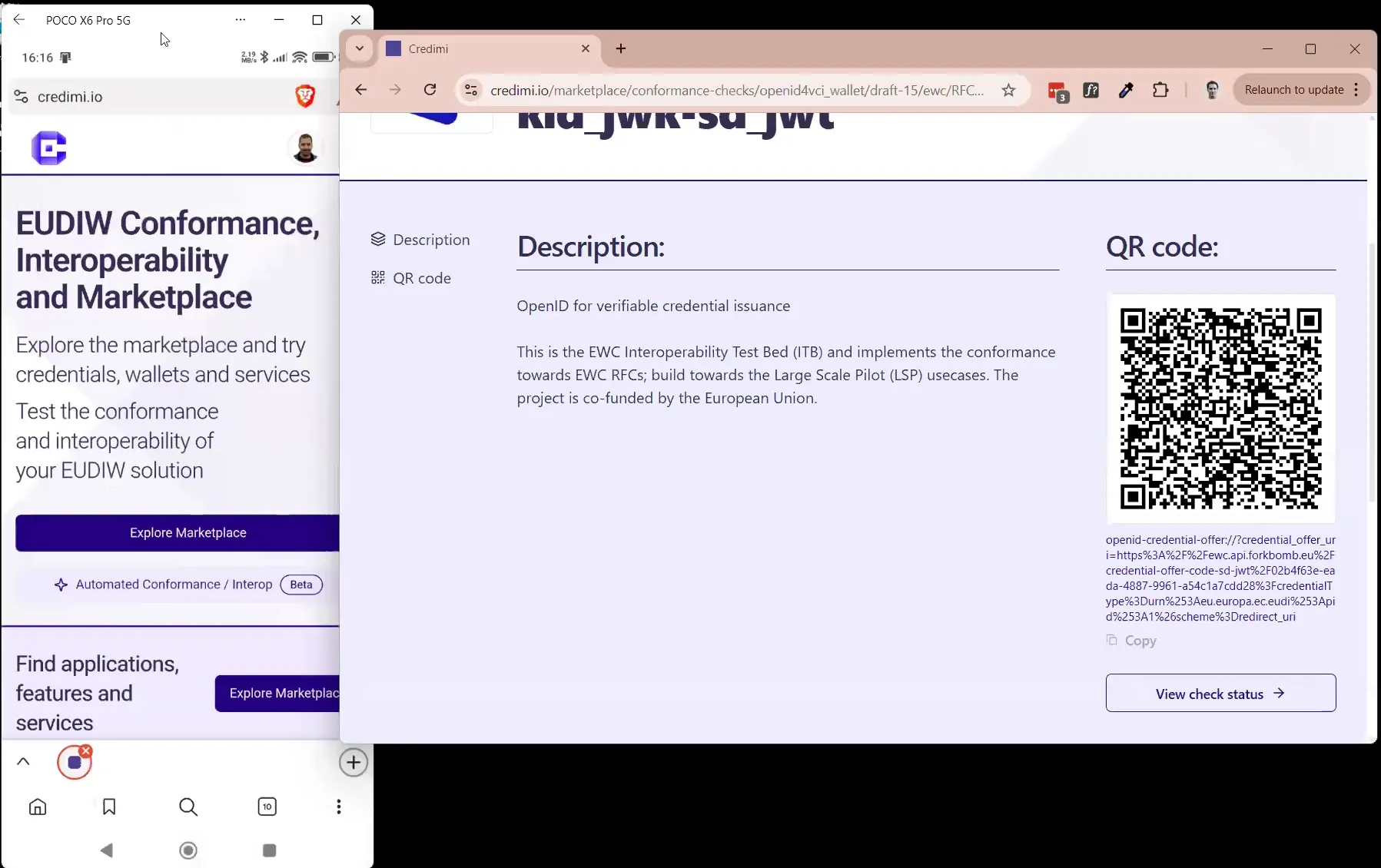
- generate a QR code from that deeplink
Users can then:
- scan the QR code with a Wallet
- or open the deeplink directly on a mobile device
This enables manual testing of real issuance and verification flows.
Role in automation pipelines
Section titled “Role in automation pipelines”In automation pipelines, the same StepCI configuration is reused as a step.
Instead of displaying a QR code:
- StepCI produces a deeplink
- the deeplink is passed to the next step (typically a Maestro action)
Example:
appId: eu.europa.ec.euidi---- launchApp: clearState: true- openLink: ${deeplink}- tapOn: 1- tapOn: 2- tapOn: 3- tapOn: 4- tapOn: 5- tapOn: 6Add a credential integration
Section titled “Add a credential integration”- In the Developer Dashboard, go to Credential Issuers and Credentials
- Click on Add new credential issuer and add the relevant metadata
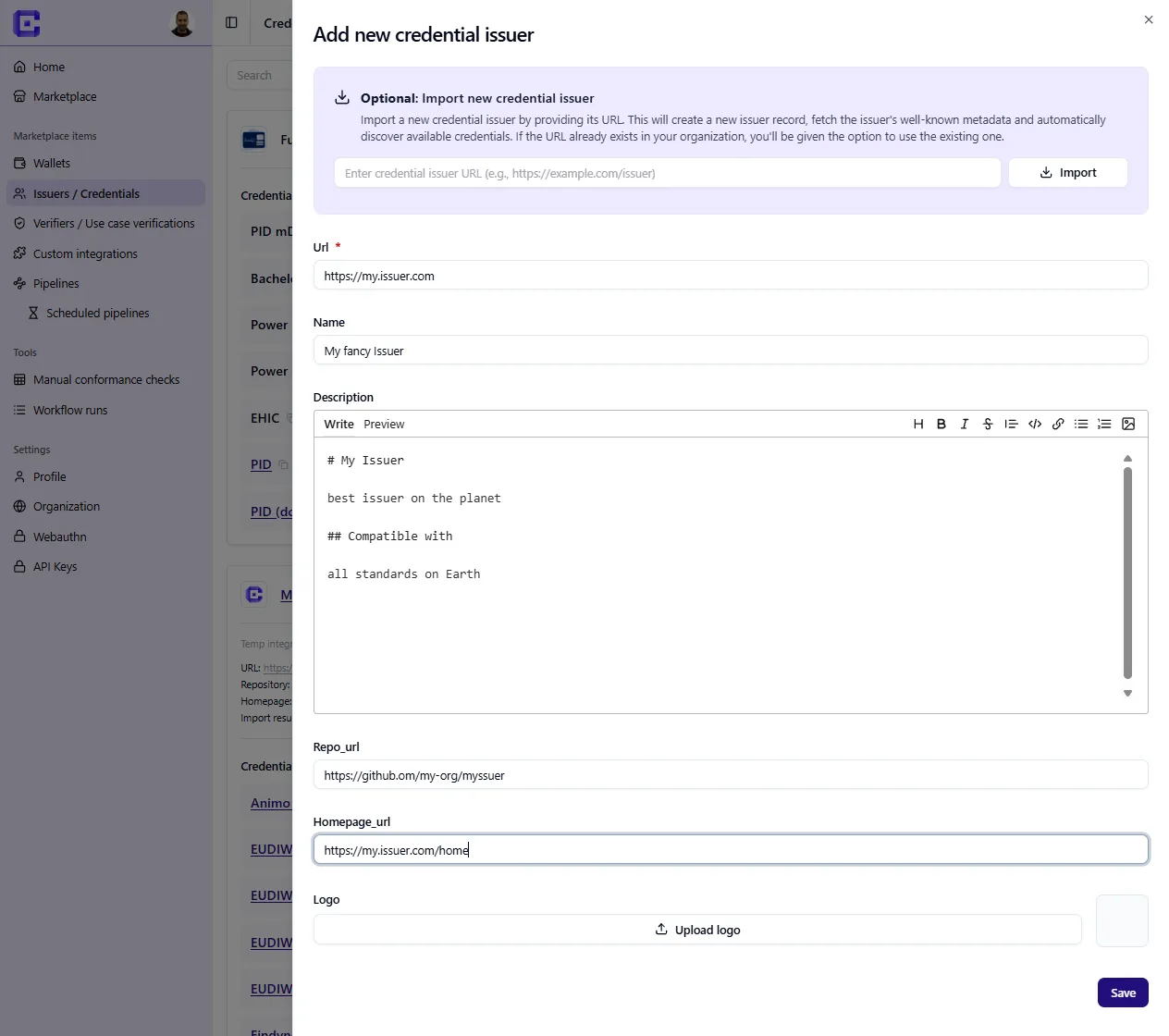
After you configured the Issuer, click on Add new credential, here you can:
- Add some metadata for an individual credential issuance use-case
- Setup the integration, write and test the StepCI needed to retrieve the deeplink which will be used both in the Hub as well as in the Automation Pipelines.
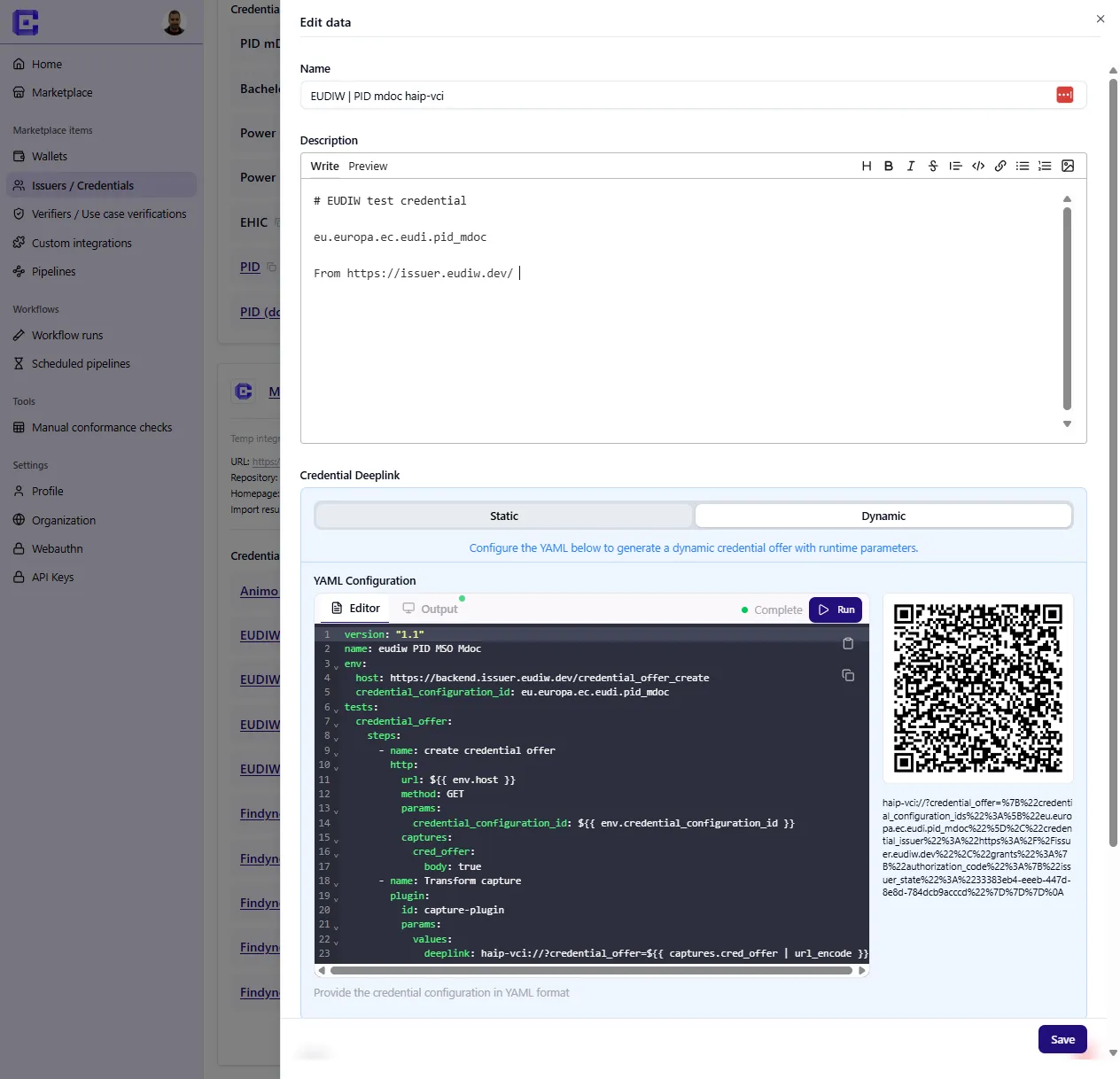
A successful recipe typically captures a deeplink such as:
haip-vci://...or:
openid-credential-offer://...Add a verifier integration
Section titled “Add a verifier integration”Verification flows are integrated in the same way, but the output is usually a presentation request instead of a credential offer.
Preview before publishing
Section titled “Preview before publishing”Credimi lets you preview the generated QR code and deeplink before publishing the integration.
Reuse later in automation
Section titled “Reuse later in automation”The exact same StepCI asset can later be used inside a pipeline, where the generated deeplink is passed to Maestro instead of being scanned manually.