
Conformance & Interop Overview
The conformance and interoperability area is for users who are actively testing a solution.
Unlike the public Hub, this section requires login and is clearly presented as part of the authenticated Credimi workflow.
Main use cases:
- run one or more tests, from one or more conformance suites against one or more components
- compare outcomes across suites and runners
- keep a history of runs, outputs and artifacts
Manual testing vs automated
Section titled “Manual testing vs automated”Credimi supports two complementary ways of testing solutions:
- manual testing, directly from the Hub or from the Conformance UI
- automated testing, using pipelines
Both approaches use the same underlying integrations (Issuers, Verifiers, Wallets), but differ in how execution is triggered and controlled.
⚙️ Supported test suites
Section titled “⚙️ Supported test suites”At the moment, Credimi exposes:
- OpenID Foundation tests
- WE BUILD tests (also the previous versions from EWC)
- PagoPA Wallet Conformance Test
Additional suites can be added over time without changing the overall workflow of this section.
Manual testing
Section titled “Manual testing”Manual testing is designed for exploration and quick validation.
Users can:
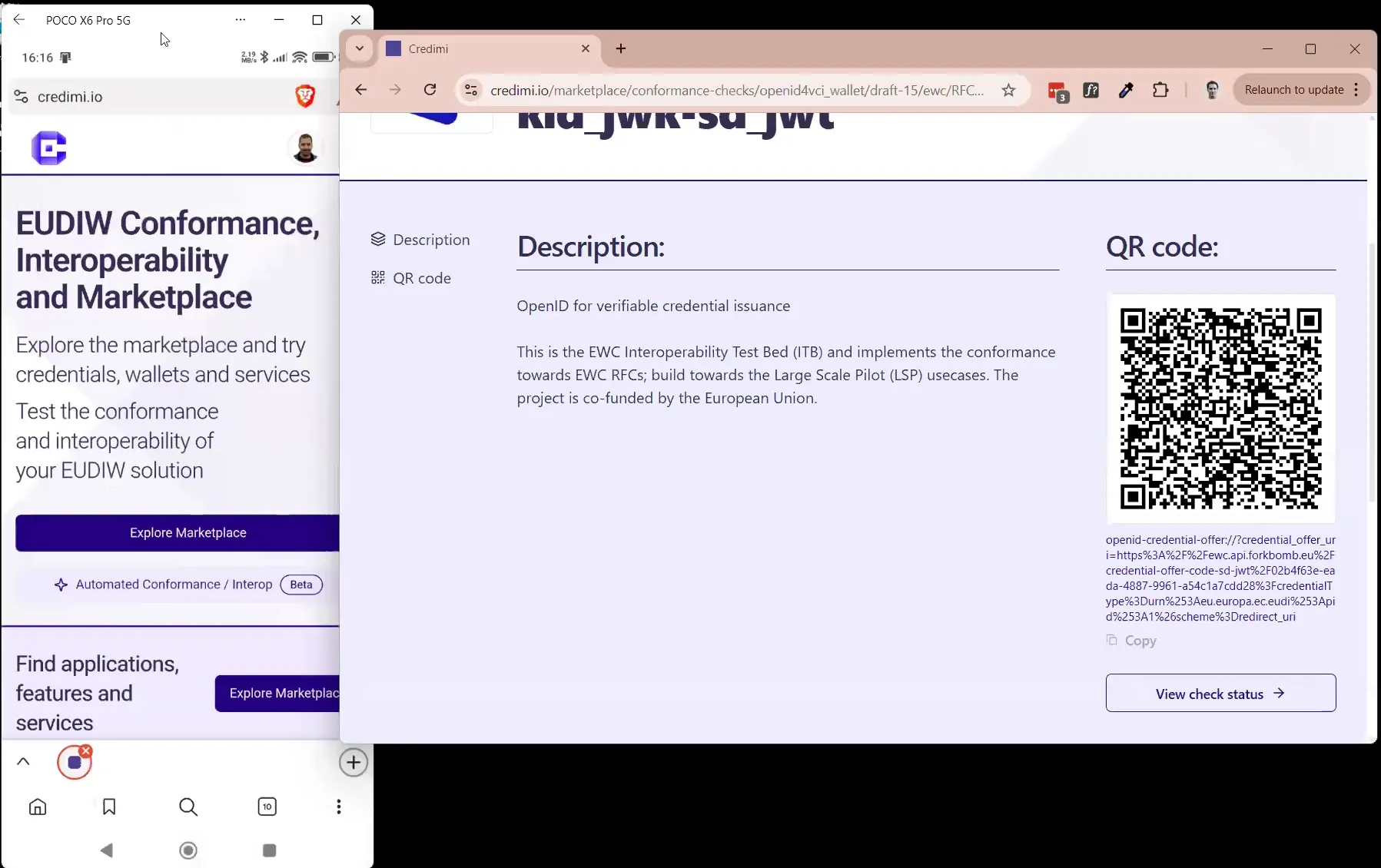
- open a credential or verification page from the Hub
- trigger issuance or verification flows directly
- scan a QR code or click a deeplink using a Wallet
- run individual conformance tests from selected suites
Typical characteristics:
- interactive: requires user actions (scan QR, confirm on device)
- visual: results are observed directly in the UI
- fast iteration: ideal for debugging and trying different configurations
- loosely structured: each run is independent
Manual testing is especially useful when:
- integrating a new Issuer or Verifier
- checking that a Wallet can successfully complete a flow
- exploring how a third-party solution behaves
Automated testing via Pipelines
Section titled “Automated testing via Pipelines”Automated testing uses Pipelines to execute the same flows without manual intervention.
A pipeline combines:
- StepCI steps → to generate credential offers or verification requests
- Maestro steps → to automate Wallet interactions on a device
- Temporal orchestrates the whole process, notarizes input & output and adds timestamps to each action, displays the whole orchestration graphically in timeline in realtime.
- Extra when a pipeline run is over, credimi.io also stores a video of the execution, a screenshot of the last frame as well as logs of the device (Logcat / Console View).
Instead of scanning a QR code, pipelines use deeplinks passed between steps.
Pipelines characteristics
Section titled “Pipelines characteristics”- fully automated: no manual interaction required
- reproducible: the same pipeline can be executed multiple times
- composable: multiple steps can be chained together
- traceable: each execution produces logs, outputs and a full timeline
- can be scheduled or triggered via CI/REST, results can be sent via POST or email.
Automated testing is used to:
Section titled “Automated testing is used to:”- validate end-to-end flows repeatedly
- compare behavior across Wallets, Issuers and Verifiers
- execute structured conformance scenarios
- collect consistent results over time
Use Pipelines for conformance tests
Section titled “Use Pipelines for conformance tests”In addition to interactive tests, Credimi also supports structured conformance scenarios, that:
- run predefined validation logic against Issuers or Verifiers
- simulate Wallet behavior when needed
- accept inputs such as credential_offer or presentation_request
They are executed as part of automated pipelines and produce:
- pass/fail results
- detailed logs
- machine-readable outputs
Relation with the Hub
Section titled “Relation with the Hub”These two areas are logically connected:
- the Hub lets users discover and manually try solutions
- the Conformance & Interop area lets logged-in users execute structured test flows against those solutions