
Create Maestro Actions
Maestro is the UI automation layer used by Credimi for Wallet-side behavior.
IMPORTANT: read this first!
Section titled “IMPORTANT: read this first!”-
We use Maestro documentation for mobile automation, working on Android and iOS.
-
In order to create your own scripts you probably want to use Maestro Studio, which connects to an Android Device (or Emulator) and an iOS Simulator, and install Maestro CLI
-
We refer to automation scripts in Maestro as Maestro actions. Scripts are in YAML, they can be executed in Maestro Studio, Maestro CLI and in Credimi pipelines.
-
Credimi pipelines can be executed in a Credimi-runner instance: we offer some machine/emulators hosted by us, you can host your own or use 3rd party services such as Maestro Cloud (ask as if you want to know more).
Intro to Maestro
Section titled “Intro to Maestro”A Maestro action typically contains steps such as:
- open the app
- complete onboarding
- enter a PIN
- open a deeplink
- navigate to a screen
- accept or present a credential
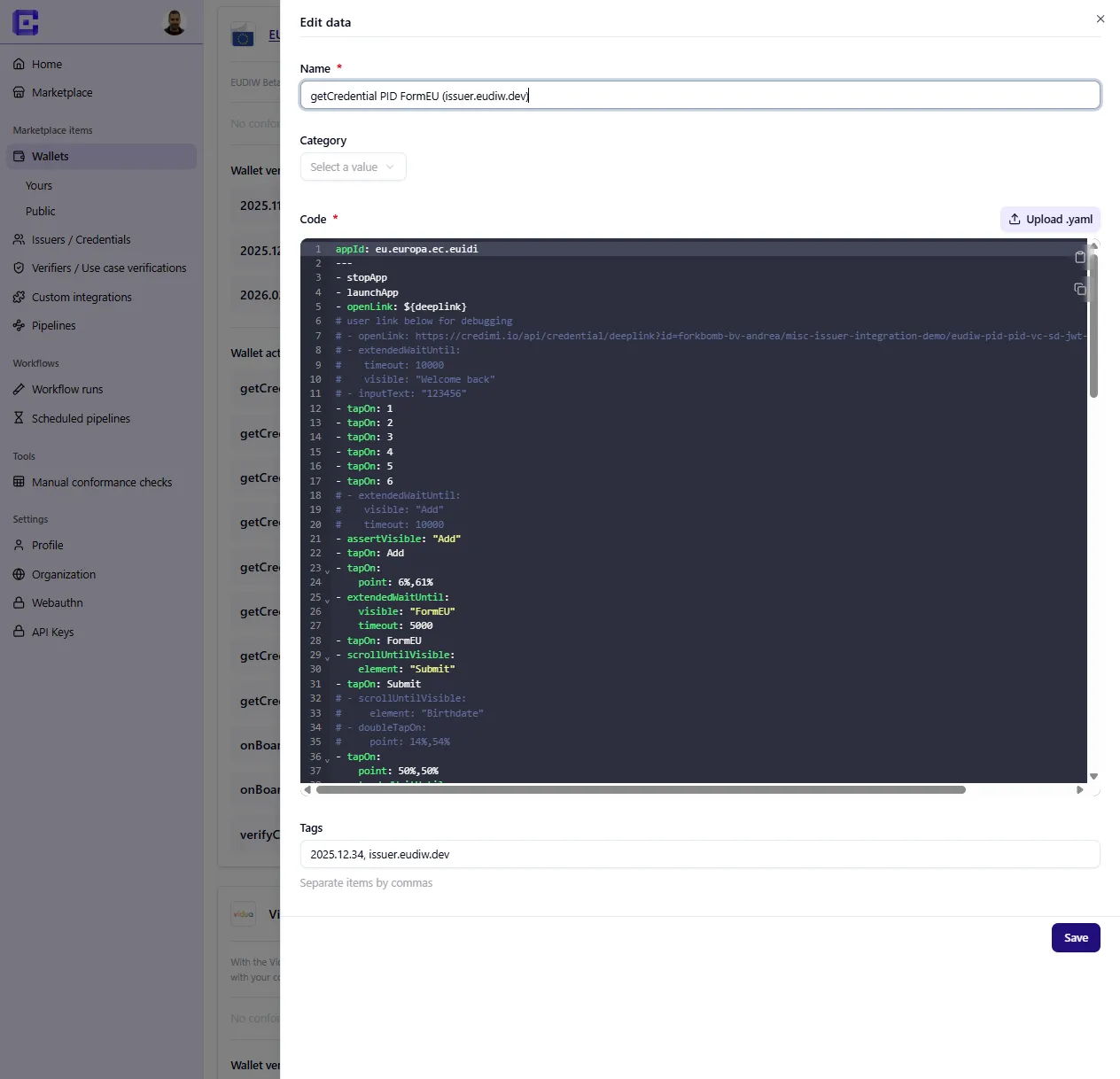
Action categories
Section titled “Action categories”Actions can be re-used across pipelines and chained in the same pipeline, they include:
- 🔗 install app
- onboarding
- Get credential
- Verify credential
- Other (utility actions for navigation or reset)
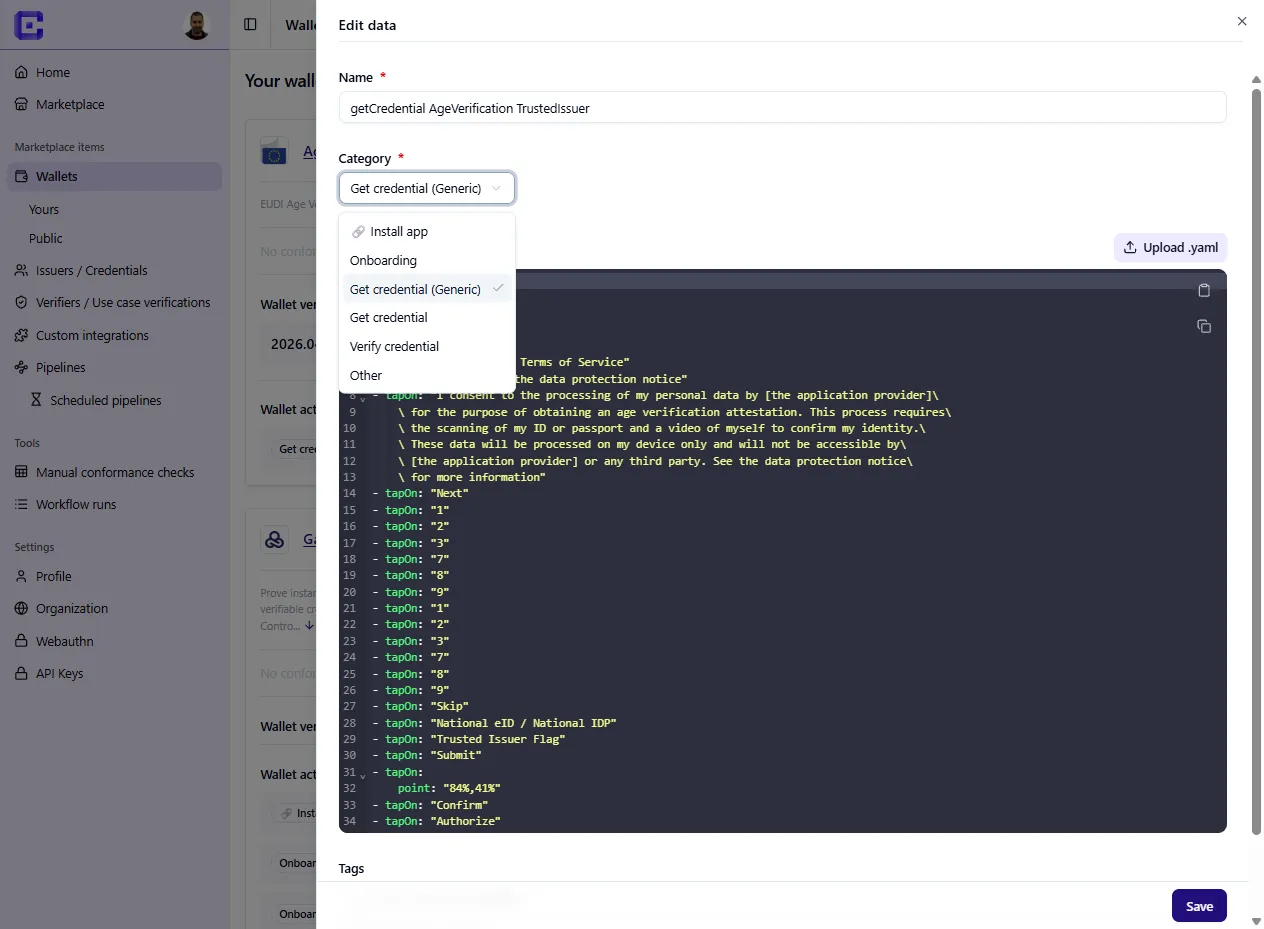
App installation: PlayStore/AppStore
Section titled “App installation: PlayStore/AppStore”Using an action tagged as 🔗 install app has impacts on the pipeline orchestration: Temporal (the orchestrator) will count all the apps installed before the execution, in order to be able to uninstall the app that was installed here.
See what an 🔗 install app action looks like:
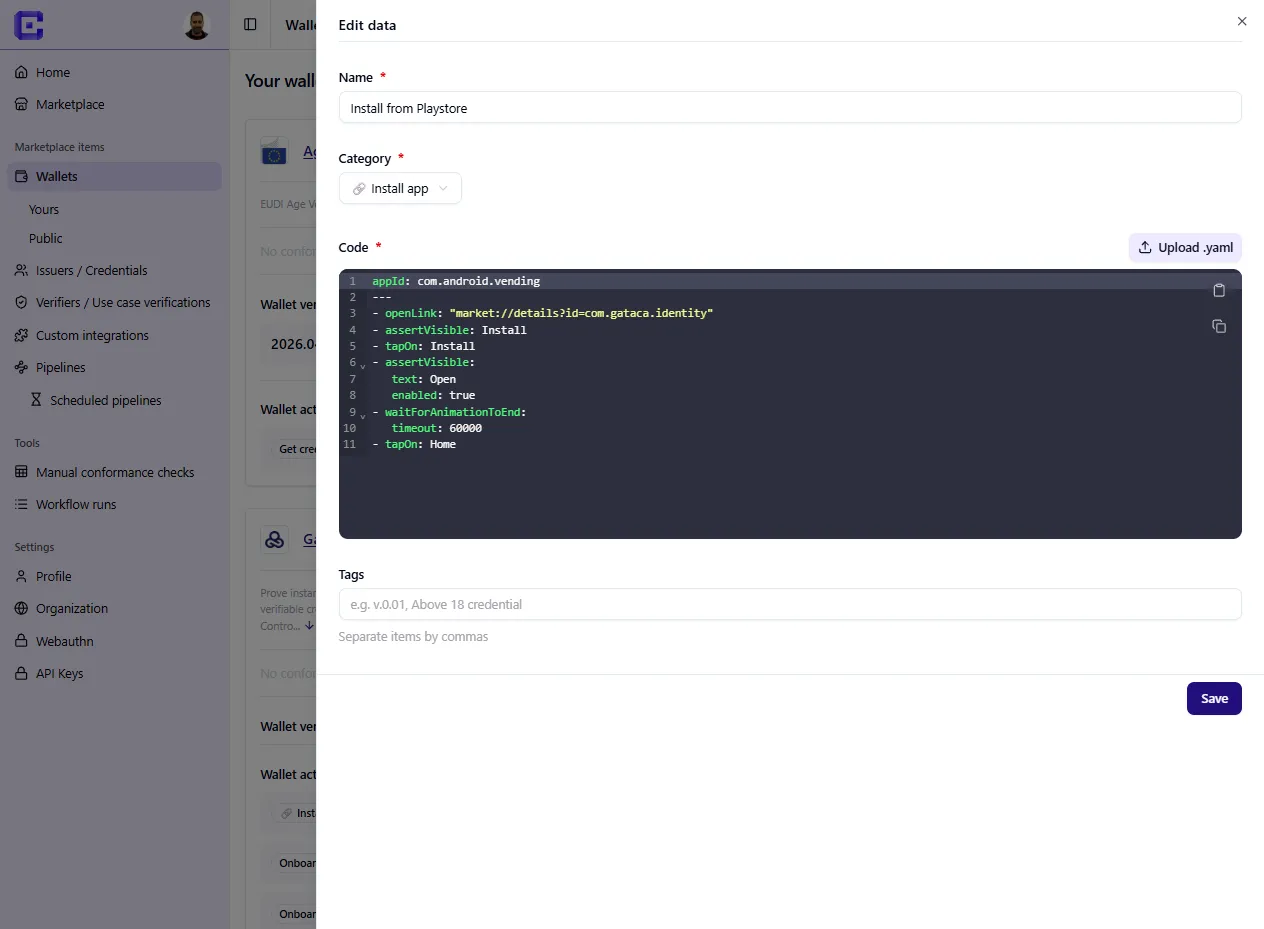
App installation: upload Android / iOS Installer
Section titled “App installation: upload Android / iOS Installer”You can also upload your .apk / iOS installer, to do this:
- Go to https://credimi.io/my/wallets
- Click on Add new version
- Type some useful metadata in “tag” and upload your Android/iOS installer (current limit is 500MB, let us know if you need more)
App installation via CI/CD
Section titled “App installation via CI/CD”You may as well connect Credimi pipeline execution to your CI/CD, and trigger the upload of the installer. Documentation is coming soon (ask us).
Script now, re-use (and let re-use) later
Section titled “Script now, re-use (and let re-use) later”In Credimi, pipelines are composed from assets that already exist, you usually create:
- StepCI integrations
- Maestro actions
- the pipeline that combines them
At the same time, you can re-use StepCI and Maestro Actions written by others (and they can use yours).