
✅ Run Compliance Checks
Credimi enables developers as well non-tech users, to test Identity Solutions (Wallets, Issuers, Verifiers) against multiple testing suites (OpenID Foundation, EWC Consortium and W3C-VC Issuance/W3C-VC Verification at once.
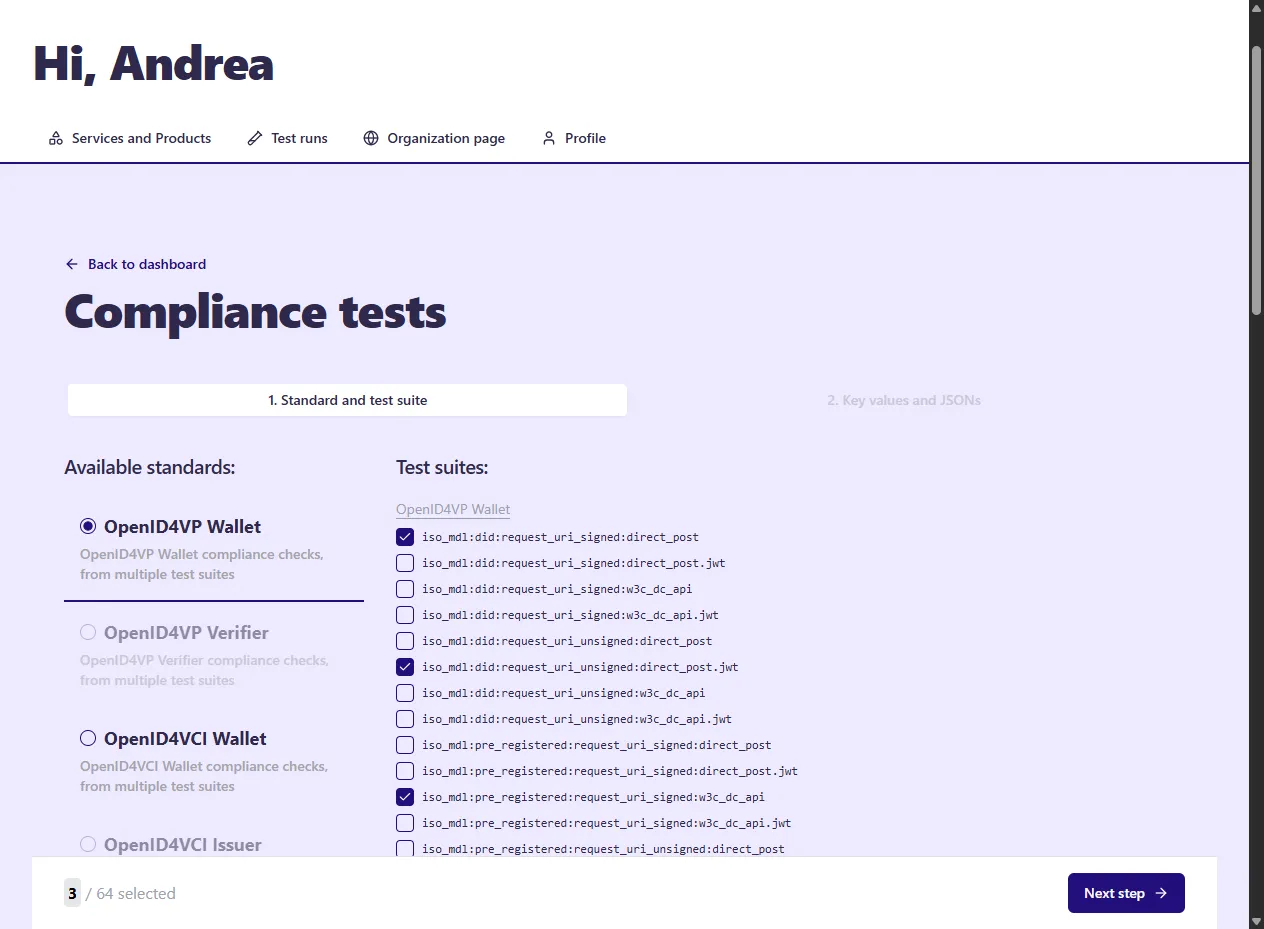
Currently we Credimi offers:
-
OpenID4VP Wallet (OpenID Foundation, EWC)
-
OpenID4VP Verifier (OpenID Foundation, EWC)
-
OpenID4CI Wallet (OpenID Foundation, EWC)
-
OpenID4CI Issuer (OpenID Foundation, EWC)
-
W3C-VC Issuer (VC-API)
-
W3C-VC Verifier (VC-API)
Manually, via Web-GUI
Section titled “Manually, via Web-GUI”Once you have logged-in, you can start a new check by clicking on Start a new check in the top-right corner of the GUI:
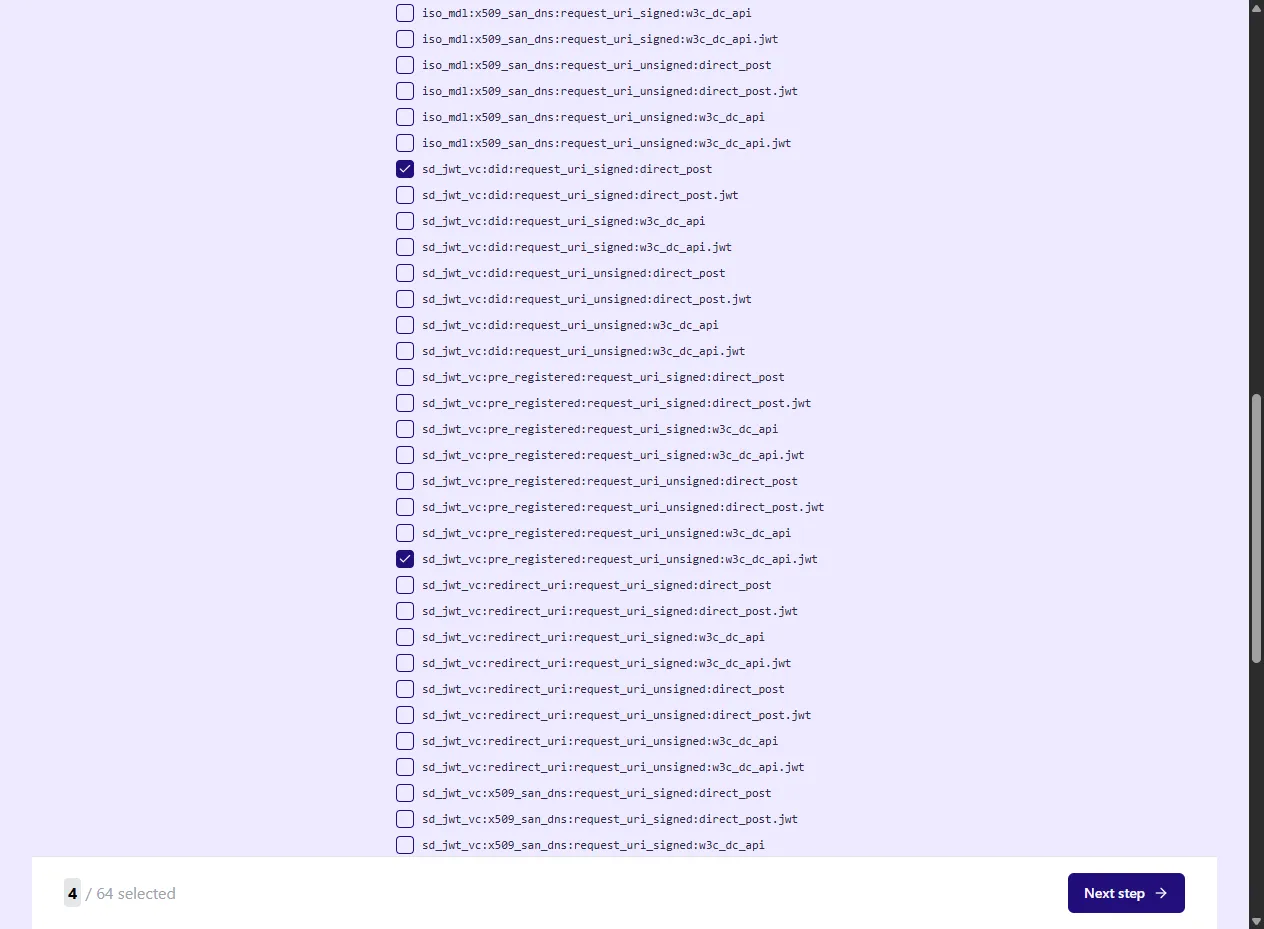
Select one or more tests, enter input
Section titled “Select one or more tests, enter input”After selecting the tests you want to execute, fill in the forms to provide the data required by the test configuration you selected:
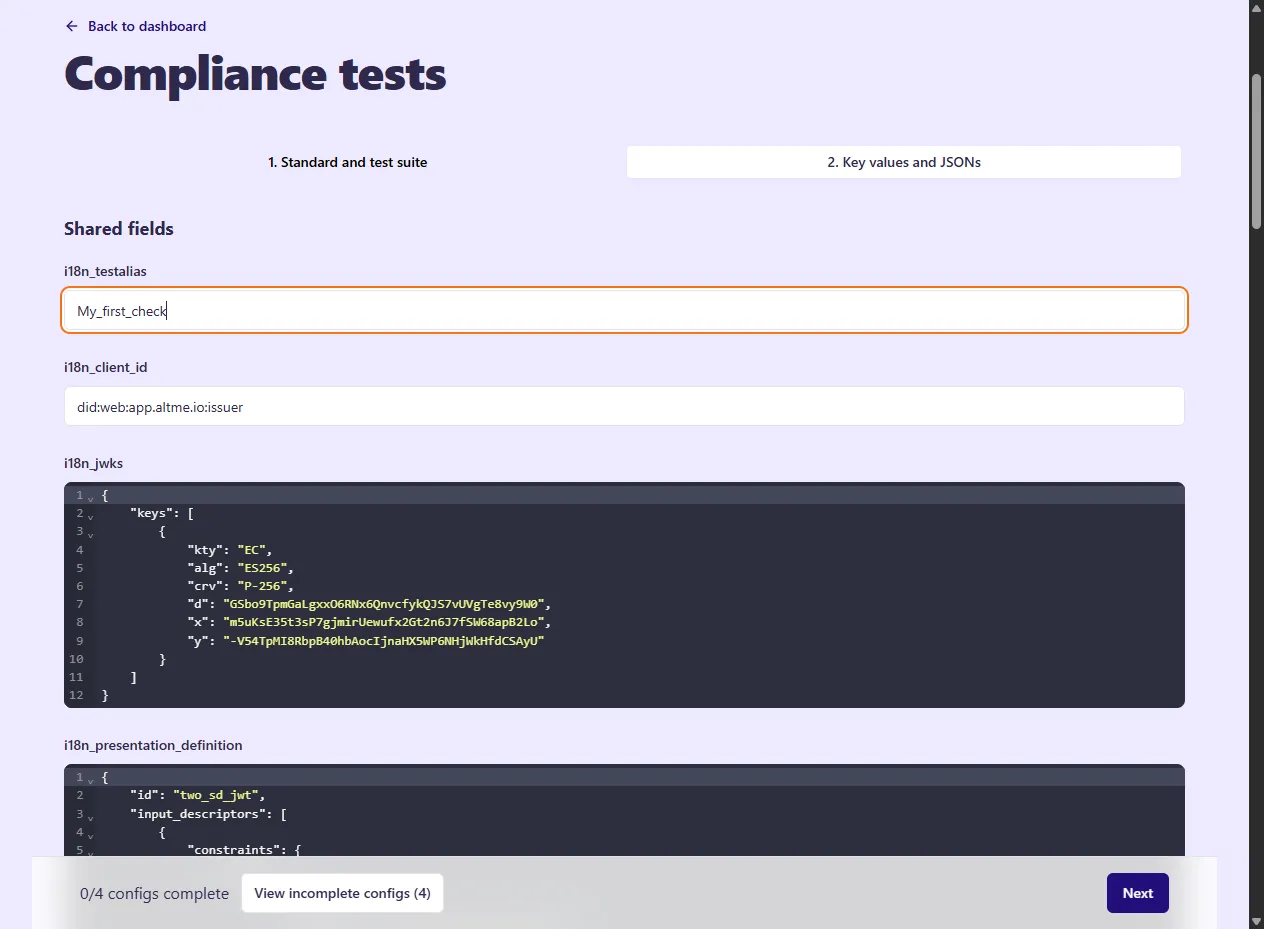
When you’re done, you should receive one (or more) email with a link (or multiple), clicking on a link will lead you to a test page:
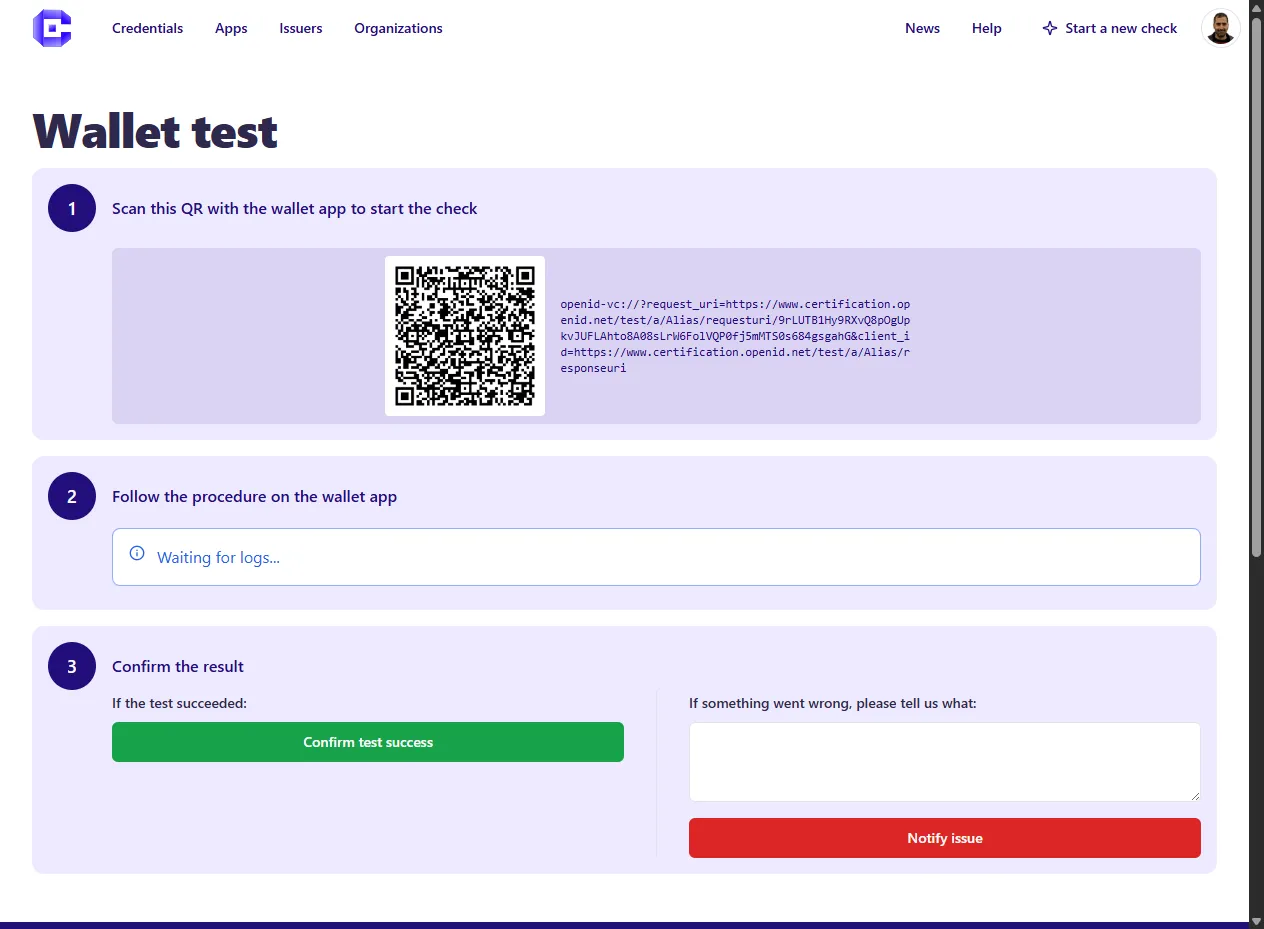
Check your test runs
Section titled “Check your test runs”At this point, from the Developer Dashboard > Test Runs you can check the list and the status of the tests you are running:
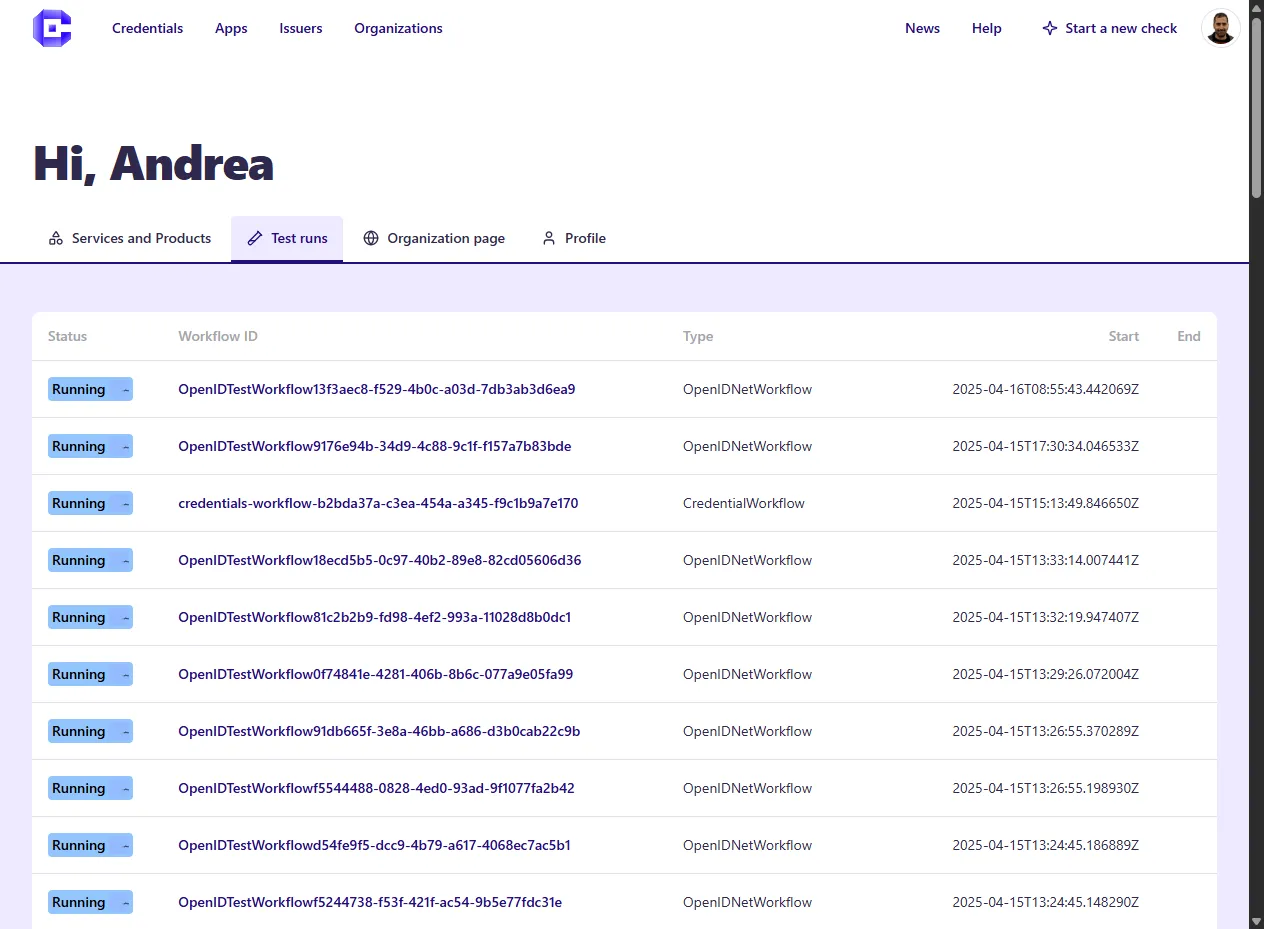
And by clicking on one of the tests, you will see the details of the single test:
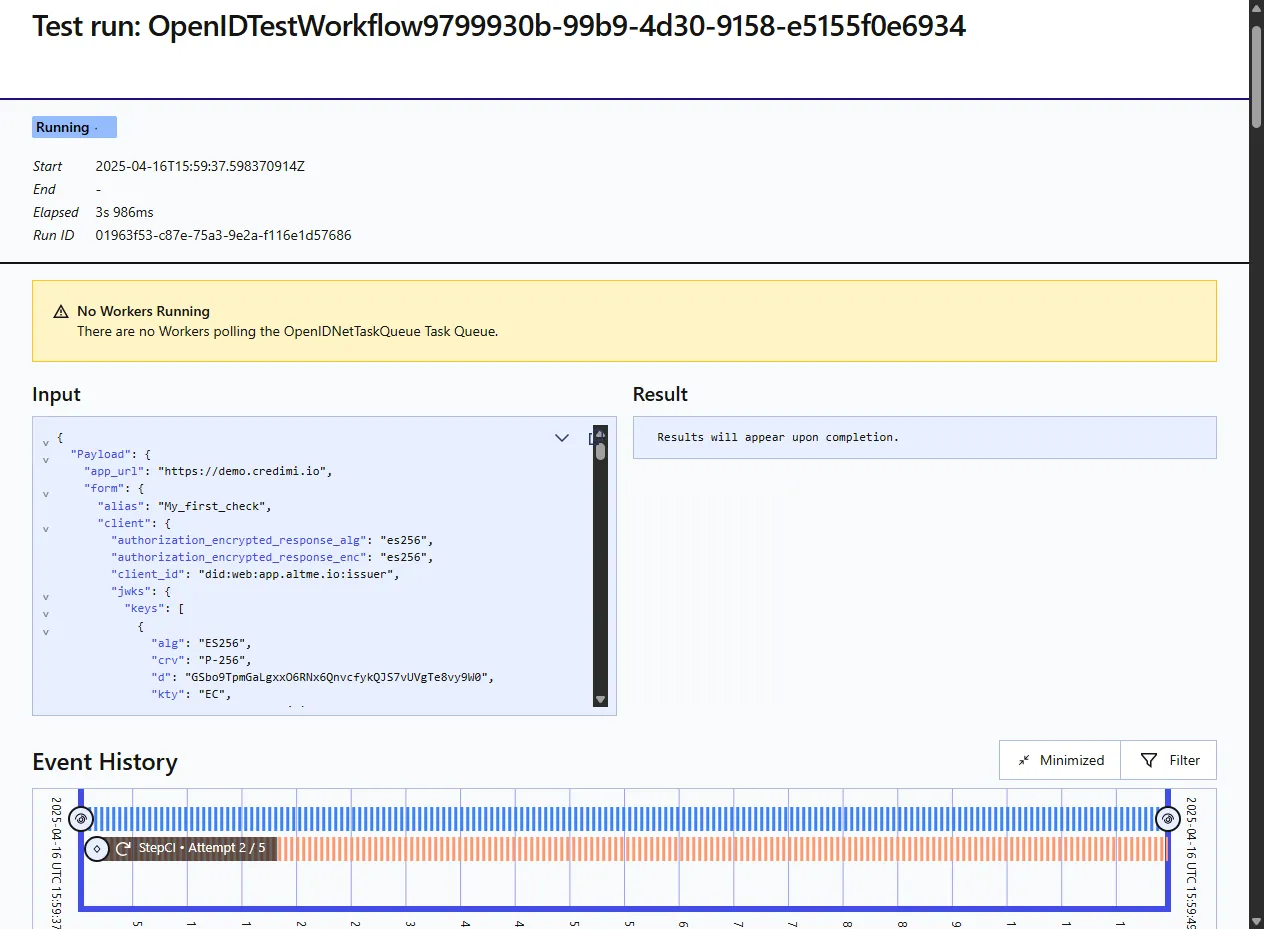
Via API, CI, Github Actions
Section titled “Via API, CI, Github Actions”(documentation coming soon)
Via CLI
Section titled “Via CLI”(documentation coming soon)
Automatized mobile testing
Section titled “Automatized mobile testing”Credimi integrates with Maestro for automatized mobile testing (documentation coming soon).
Scheduled Checks
Section titled “Scheduled Checks”Credimi also allows you schedule tests via Web-GUI or REST API (documentation coming soon).